Build it yourself
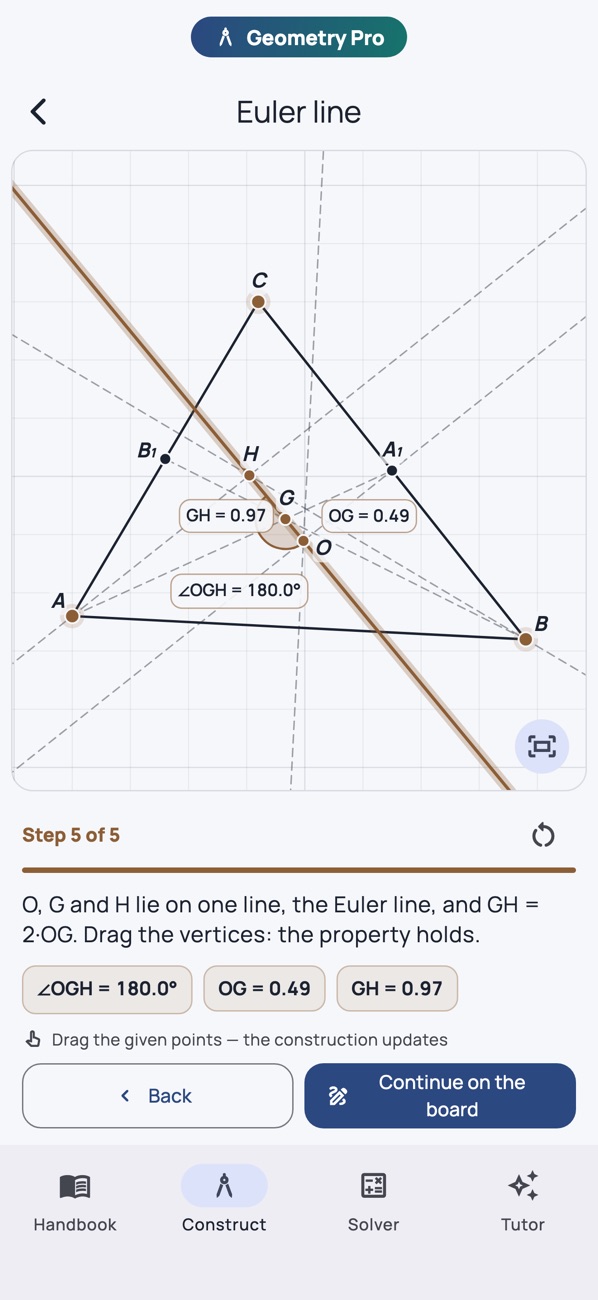
Place points, draw lines and circles, then construct parallels, bisectors and intersections. Drag a point and the construction follows.
 Geometry Handbook
A new angle on understanding
Draw it. Move it. Get it.
A geometry workbench in your pocket. Build constructions, explore shapes and see why a theorem holds.
Free download · optional Pro features
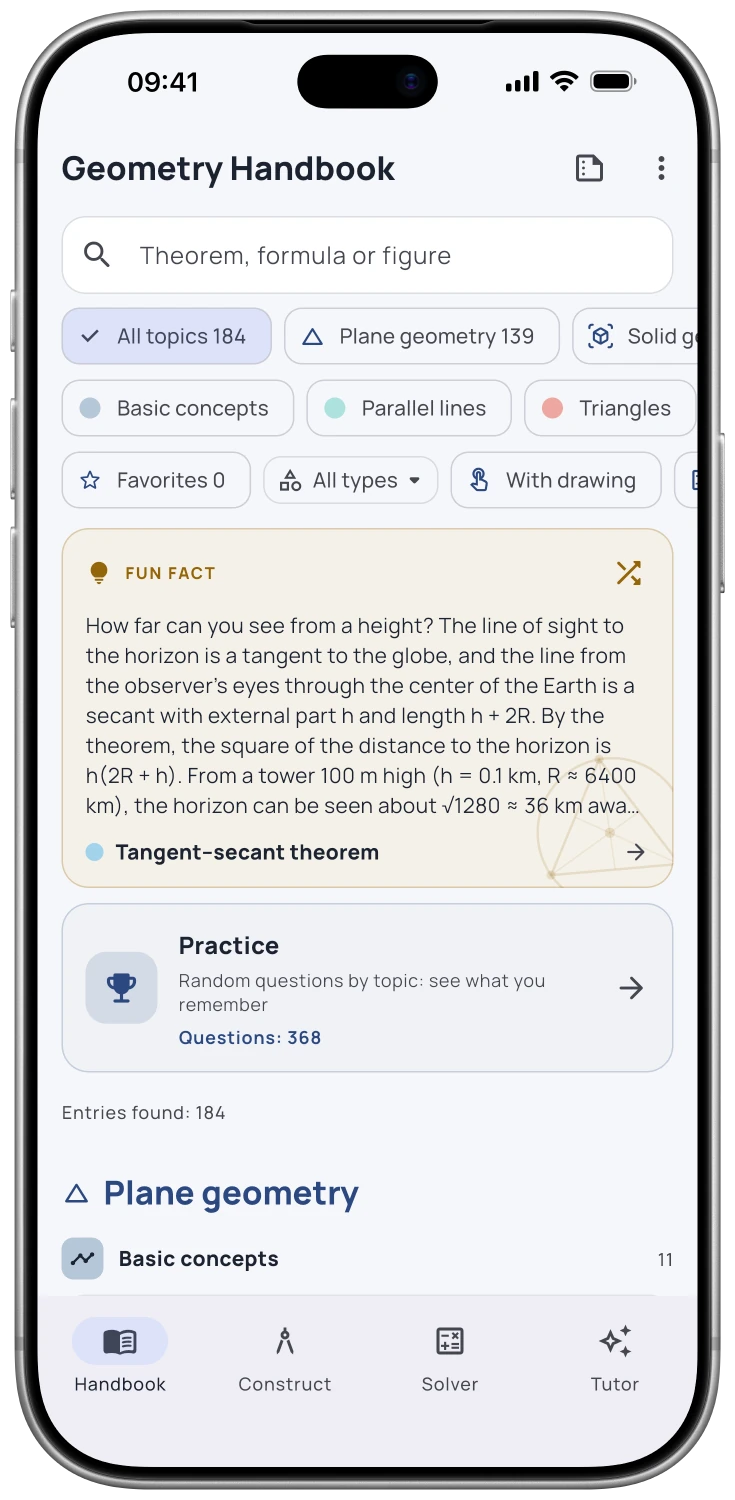
App screenshot
Why you’ll love it
Place points, draw lines and circles, then construct parallels, bisectors and intersections. Drag a point and the construction follows.
Explore plane and solid geometry with precise statements, drawings, worked examples and proofs.
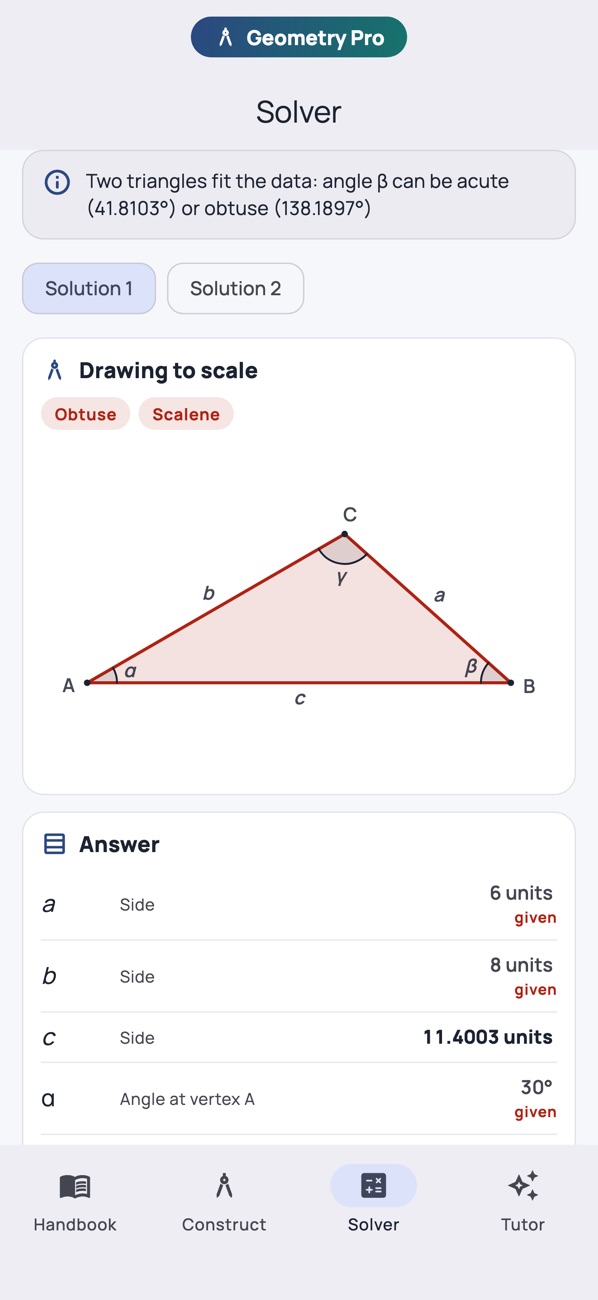
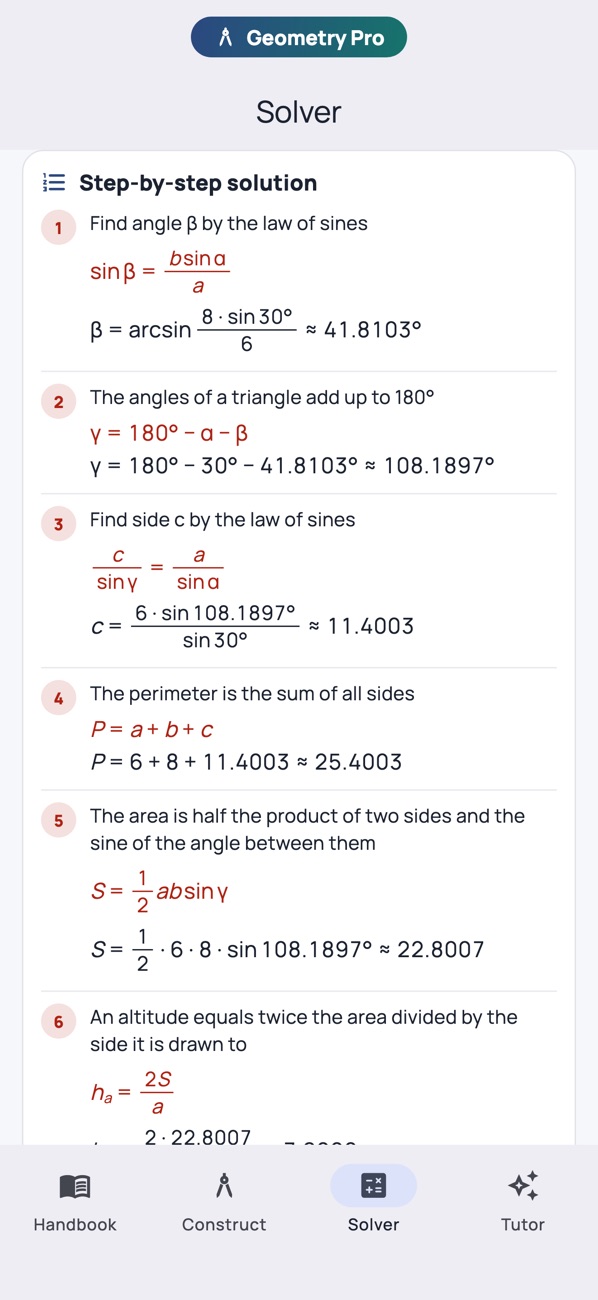
Solve triangles and solids with drawings to scale. Pro adds the derivation, substituted values and the steps behind the result.
Take a look
Real screens. A better feel for what’s inside.
FAQ
Answers before you get started.
Yes. The handbook and its reference content are available offline after installation. Apple Intelligence features also require a compatible device and a downloaded system model.
You can download the app for free. The reference handbook stays useful without Pro; additional learning tools and AI features depend on the app’s Pro plan. The App Store and the in-app purchase screen show the current options.
No. You can read and use the handbook without it. The AI tutor is optional and requires a compatible iPhone or iPad with Apple Intelligence enabled; supported languages depend on your system.
The app is available for iPhone and iPad. Check the App Store page for the current operating system and device requirements.
Free download · optional Pro features

AI tutoring is a Pro feature. It needs a compatible iPhone or iPad, iOS/iPadOS 26 or later, and enabled Apple Intelligence. Availability varies by language and region. AI answers can contain mistakes.
 Physics Handbook
 Algebra Handbook
 Biology Handbook
 Geography Handbook
 Periodic Table